

Introducing the Z88
This page is archived and no longer maintained
Despite
using a Z80 processor instead of the BBC micro's 6502 Sir Clive
Sinclair's new lap-held computer, the Cambridge Computers Z88, is
surprisingly compatible with the BBC machines. The programming language
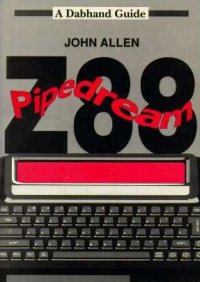
is Z80 BBC Basic and the word-processor cum spreadsheet, PipeDream,
was written by Mark Colton, the author of View, and is almost
identical to Acornsoft's View Professional.
Other "applications" and "popdowns" supplied on the Z88's rom are a VT52 Terminal, Diary, Calculator, Calendar, Real Time Clock, Alarm and File Import-Export Software.
Compatibility
Before describing the machine in detail it is worth looking at that compatibility. PipeDream working files are indistinguishable from View Professional files so, provided that you have View Professional on your BBC, files can be transferred either way and editing continued on the other machine. This is particularly handy if you want to see a Z88 document on a larger screen before printing.
The Z80 processor BBC Basic and the normal 6502 BBC Basic are very similar. Unfortunately although the command tokens are the same programs are stored differently so a directly transferred Basic file will not run on the other machine. The translation is not too difficult though. BBC files start with a carriage return, Z88 ones don't. BBC files end with &FF, Z88 ones with &00,&FF and &FF. The three bytes after each carriage return are i n the reverse order and you can't always have leading spaces in a Z80 BBC Basic statement.
The main difference between the two Basic languages is that Z80 Basic writes files in text form, whereas the 6502 version uses its own internal format. Additionally on the Z88 the graphics, sound and analogue commands are missing (ADVAL, CLG, COLOUR, DRAW, ENVELOPE, GCOL, MODE, MOVE, PLOT, SOUND) and the built in assembler is for the Z80 processor.
Commands like VDU, OSCLI, CALL and USR are still there but they will not necessarily have the same effect. Indirection operators can be used but as memory is allocated dynamically it is unwise to use them with absolute machine addresses.
As the Z88 implementation of Basic does not have a line editor or, indeed, any other edit facility it can be advantageous to write and debug a program on the BBC and then export the finished program to run on the Z88. The only way to change a statement in Z88 Basic is to retype the entire line.
Hardware
So to the Z88 itself. It is a few millimetres smaller than this magazine and about 20 millimetres high. It weighs just over 2 pounds and runs on on four penlight batteries. The batteries on an unexpanded machine are claimed to last for 20 hours of continuous processing or a year of preserving memory. My experience has shown this to be a reliable, and maybe conservative, estimate.
The Z88 has a two stage way of warning you that the batteries need replacing. Fist an indicator that they are low comes on at the right hand side of the display. Later the machine shuts down to allow all remaining power to be used to keep the contents of memory safe.
The 100 column by 8 row liquid crystal display is remarkable. Remarkable because of its clarity and the wide angle over which it can be comfortably viewed. The keyboard is made of rubber which is very quiet and surprisingly pleasant to use. It does get dirty quickly but can easily be cleaned with a damp cloth. If I were to criticise the construction I would question whether the keyboard rubber is attached to the body of the machine firmly enough.
The machine comes with 32k of ram, of which about 18k is available to the user. The use of this is split between applications and file storage. Three slots at the front allow you to add ram and eprom cartridges in 32k and 128k sizes. 1M ram cartridges are promised but as yet are not available. The ram cartridges are not just backup store, as the Z88 will use the whole of available memory dynamically for applications or filing.
As you would probably guess, for most sensible uses of the machine you are going to need at least 32k of extra ram. The built in memory has about enough space to save two pages of A4 from PipeDream to the filer for transmission to the BBC, provided there's not much else inside the machine at the time. By using a 128k card it is possible to create documents in PipeDream which are too large to be loaded into memory in the BBC, even in a shadow mode.
Communication in and out of the machine is via The RS232 socket, a 9 pin female 'D' connector to the right of the keyboard. Next to that is 20-way double sided edge connector which, we are promised, will allow a disc drive and other extensions to be fitted at a later date. Using my BBC micro as well I am not sure that I'd want a drive on this machine as I have been using the BBC for long term storage of files. I suppose a disc drive to keep at home would be useful backup if the Z88 were your only machine.
A serial printer can be attached directly to the RS232 port or files can be transferred to the BBC for printing.
Control
There are four keys which largely control the action of the machine. The "Index" key allows the applications and popdowns on the rom to be entered as well as any suspended activities. The "Square" key allows direct entry to any application or popdown from any other. The "Menu" key will display menus appropriate to the current activity and the "Diamond" key will directly use a command within the activity. Thus the machine can either be considered as menu driven (using "Index" and "Menu") or as command driven (using "Square" or "Diamond") depending on your preference. In practice I used the commands when I could remember them, otherwise I used the menus. As soon as I had learnt the scope of an application from the manual I found that the menus were an adequate prompt. On the Z88, unlike the BBC, you have to specifically finish with an application to lose your work. For example if you are using PipeDream and want to look at the Diary you can press "Index" and select "Diary" (or press "Square" D) and your PipeDream document goes into suspension. When the index is next selected one of the options you are given is re-entering that document, exactly where you left off. These suspended activities can only be deleted by resetting the machine or by selecting them in the index and pressing "Diamond" KILL.
The difference between a popdown and an activity is similar to that between language roms and service calls on the BBC. An activity is the equivalent to a language it takes control of the machine and can go into suspension whilst a popdown is a utility which is performed but cannot be suspended. You are not limited to one suspended activity per application so you could have, for example, several suspended PipeDream documents. The amount of free memory is the only restriction on the number of activities that can be in suspension.
Of course with all these things in suspension you need to be confident that the machine is stable. Pressing the reset button (the equivalent of the BBC's "Break") kills all suspended activities and alarms. Resetting does not delete files but nevertheless you are likely to lose some work.
In a month of use the only "crashes" that I experienced were in Basic. If you do a machine code call to a bad location the machine, not surprisingly, hangs. More conventionally I was developing a program with error trapping (using "ON ERROR GOTO ...") which hung the machine when the program encountered unexpected errors. This is another reason why it might be more practical to develop programs on the BBC and then import them onto the Z88 when they are working. If you are developing programs on the Z88 using the Z80 Assembler a sensible precaution would be to save any suspended activities to files.
PipeDream
As PipeDream is the major application on the Z88 it is worth a closer look. Although from the same author as View it should not be seen an extended version of that word-processor. Although at first sight it is a word-processor with a built in spreadsheet in reality it is the reverse. The slots, or columns, (equivalent to a combination of View's ruler and Viewsheet's slots) have to be of constant size throughout a document. When slots are used for text, reformatting does take place with insertions but not with deletions. Thus adding text which goes over the end of a line will reformat the rest of the paragraph but text will not be moved up after a deletion. As with View you have to manually reformat in these circumstances.
By default PipeDream works in insert mode without justification but this can be changed on the options page. Like View a Printer Driver is still needed but has 8 highlight codes. A Printer Driver Editor is on the Z88's rom as an application. Macros are not supported so mail-merging is not a practical possibility.
The built in spreadsheet allows for useful integration. For example it is very easy to type invoices and add them up within the document. Also there are a number of simple database instructions so, for example, you can sort a marked list of names into alphabetical order.
The underlying slot structure makes it very easy to type text in columns, where on most word-processors you have to be constantly changing rulers.
Use
Until I tried using the Z88 I would have thought that a portable computer was of little practical value but I quickly found it indispensable. I found it particularly useful for typing in documents when I had a spare moment, later transferring the files to my BBC for printing. On the BBC micro View Professional has its limitations as a main word-processor but in its PipeDream form on a portable I found the facilities more than adequate.
The machine is smart and slips easily into the briefcase. The diary facility is useful (particularly as you can do searches through it to find, for example, all unpaid expenses). PipeDream is very powerful and, with View Professional on the BBC, totally compatible.
This is not a gimmicky machine but one with highly usable facilities at a reasonable price. Once you have used one you will wonder how you ever managed without.